There are different ways a teacher can choose to give their students acces to their activities, but one thing is certain, your student will not have to download or install anything on the device he chooses to work with
Sending a Email with access instructions
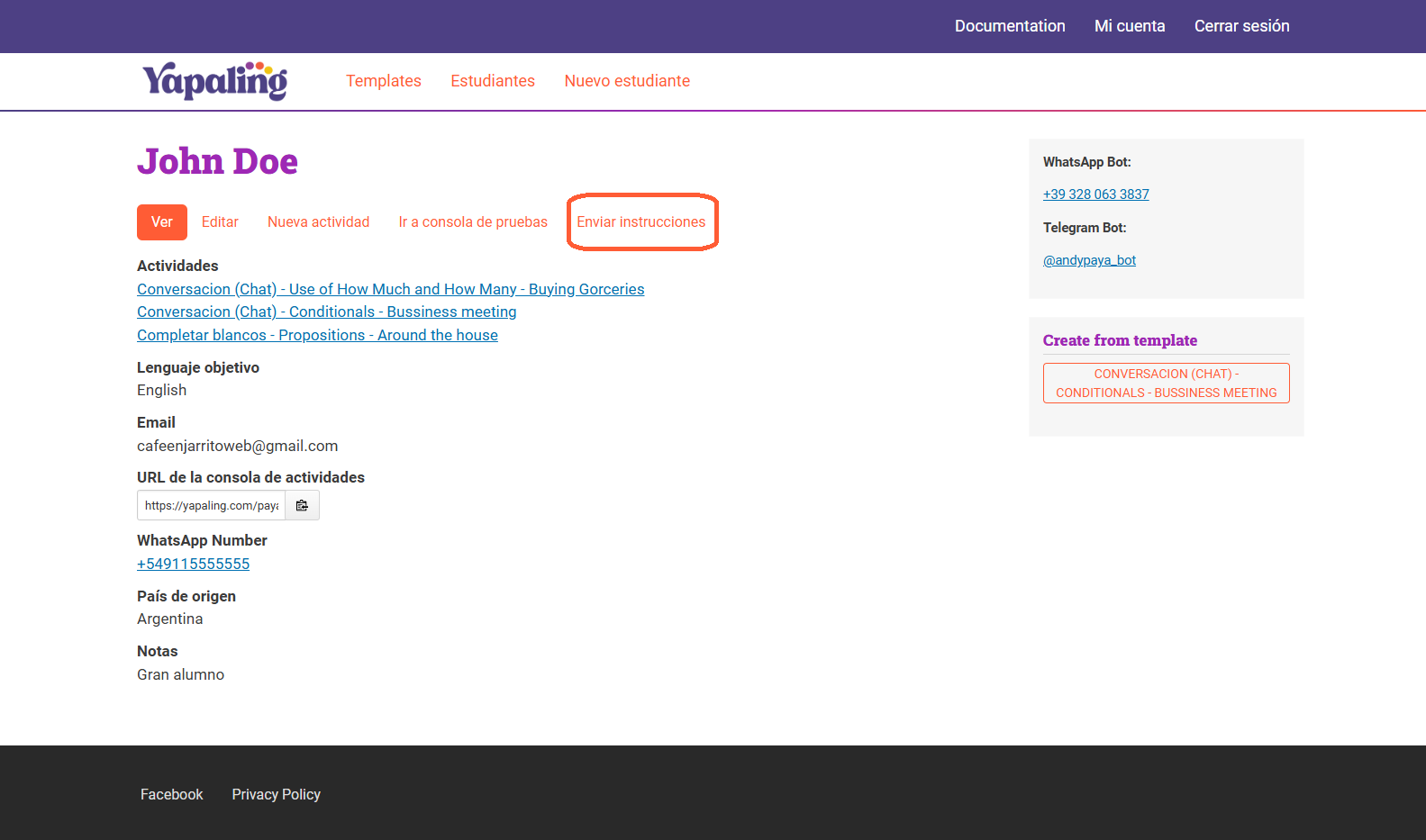
Once your activity is ready for your student (if it’s not ready yet, please visit this link), you can send them detailed instructions on how to access it. Simply click on "Send Instructions," and the email will be automatically delivered to the student’s registered email address.
Your student will receive an email that looks like this, where they can:
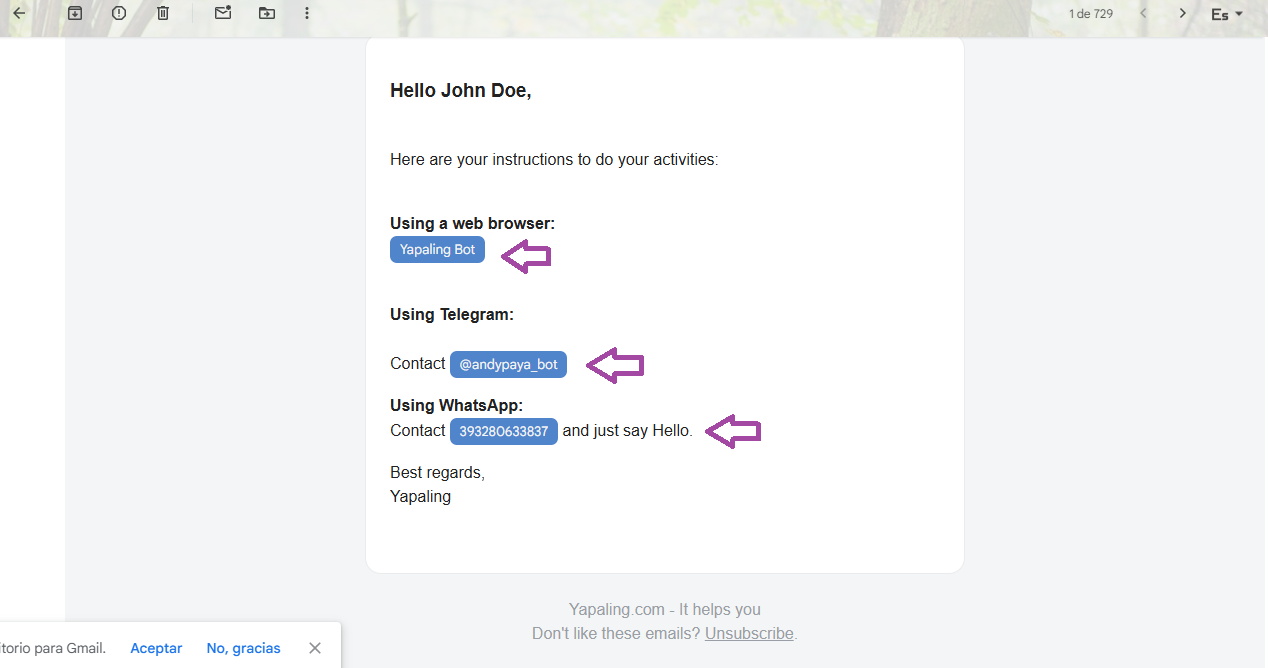
- Access the Yapaling Bot via a web browser (on mobile or desktop).
- Use the Yapaling Telegram Bot
- Connect with our WhatsApp Bot